

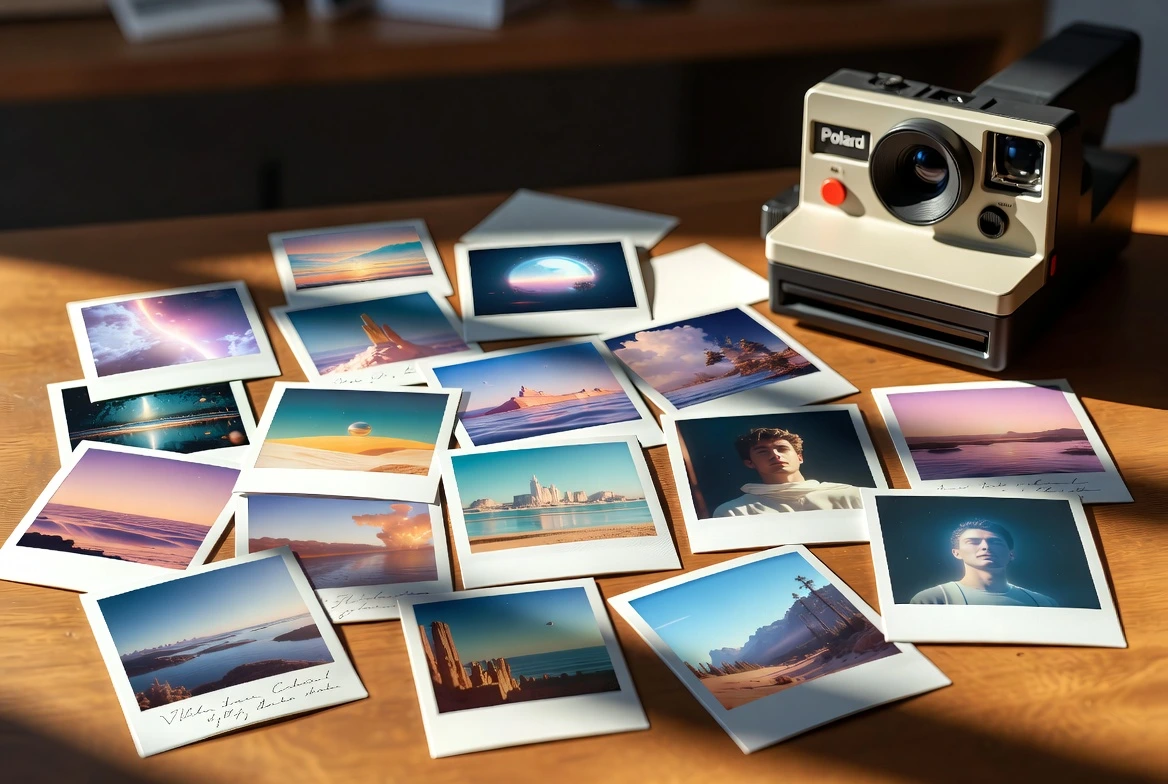
There's something timeless about Polaroid photos. The white frame, the distinct color grading, and the feeling of holding a memory in your hand. In an increasingly digital world dominated by perfect, high-resolution screens, we crave the tangible, imperfect nature of analog photography. Fexi AI brings this nostalgia into the digital age with our Polaroid Video Effects, allowing you to relive your memories with a vintage twist.
The Resurgence of Analog in a Digital World
Why has "Digital Nostalgia" become such a massive trend? From disposable camera apps to vinyl sales records, Gen Z and Millennials are looking for authenticity. A perfectly retouched 4K photo can feel sterile. A grainy, slightly blurry Polaroid feels real. It implies "I was there, and I captured this moment," rather than "I staged this photo."
This aesthetic aligns perfectly with the "Photo Dump" trend on Instagram, where curated imperfection is the goal.
Why We Love the Retro Look
Our AI models replicate the developing process of instant film, adding realistic grain, light leaks, and that iconic "shaking" animation as the photo develops before your eyes. It's storytelling at its finest—turning a simple moment into a cherished memory. The effect mimics the chemical reaction of instant film, slowly revealing the image with that characteristic contrast and saturation that defines the Polaroid aesthetic.
One-Click Polaroid AI Videos
Fexi includes dedicated Polaroid effects with authentic vintage aesthetics. No manual editing required.
Try Fexi NowEssential Polaroid Elements to Include
Creating authentic Polaroid-style videos requires specific visual elements. Here’s what Fexi AI incorporates automatically:
- The Iconic White Border: Polaroid’s signature thick white frame is non-negotiable. It provides a canvas for handwritten notes or dates.
- Color Grading: Fexi applies a specific color science that mimics instant film—expect slightly washed-out blacks, warm highlights, and rich greens (the "Fuji Green" or "Kodak Yellow" look).
- Physical Artifacts: Light leaks (those orange/red streaks), dust scratches, and soft focus edges add layers of realism that digital filters often miss.
Composition Tips for the Perfect Polaroid
Since Polaroid frames are square (usually), center-weighted compositions work best. Close-up portraits with direct flash (simulated or real) give that classic "party snapshot" vibe. Don't worry about perfect sharpness; a little blur adds to the charm.
How to Create Polaroid Style Videos
Ready to go retro? Here is how to do it in seconds.
Step 1: Get the App
Download Fexi AI to access our extensive library of retro and vintage effects.
Step 2: Choose a Polaroid Style
Go to the "Vintage" or "Retro" category. You'll find various styles like Classic Polaroid, Vintage Film, and Developing Photo.
Step 3: Pick Your Memory
Select a photo that feels personal—a candid shot with friends, a beautiful sunset, or a travel memory. Avoid overly professional/corporate headshots.
Step 4: Watch it Develop
Tap generate. The AI will animate the photo, adding the frame and the developing effect. It's mesmerizing to watch!
Step 5: Share on Social Media
These videos perform amazing on Instagram Stories and TikTok. Don't forget to tag #FexiAI!